Friday, July 24

Life Style

Here’s How Microsoft’s New Windows Insider Channels Work
Life Style

Here’s How Microsoft’s New Windows Insider Channels Work

Earlier this month, Microsoft announced a number of changes coming to its Windows Insider program—in fact, one could call it an overhaul. Despite being a beta program for Windows users interested in testing cutting-edge features, Microsoft is actually simplifying and streamlining the experience. Now, as highlighted by Bleeping Computer, the company is rolling out that updated experience—whether you're new to the Insider program, or you've been test-driving Windows this way for years.Microsoft is making Insider channels easier to understandThe Windows Insider program is changing in three key ways. First, Microsoft is making the "channels" easier to understand. For the uninitiated, a channel in the Insider program lets you choose how early on you trial new versions of Windows, and what level...
X Now Has Its Own Chat App
Life Style

X Now Has Its Own Chat App

On Friday afternoon, X officially launched XChat, the company's proprietary chat app. Unlike other chat app options, like WhatsApp, Telegram, or Signal, you need an X account to use XChat, which limits the user base to one specific social media platform. X users with a large enough social circle on the platform may find this new app to be useful, but XChat does come with some security contradictions that all new users should be aware of. XChat is a standard chat app for X usersXChat's biggest sell, apart from being a place for X users to communicate, is that it is end-to-end encrypted. As the app reminds you upon setup, this encryption means there is no way for anyone—including X—to read the contents of your messages. Only the sender and receiver (or receivers) of an encrypted message hav...
ChatGPT’s Latest Update Makes It Harder Than Ever to Spot AI-Generated Images
Life Style

ChatGPT’s Latest Update Makes It Harder Than Ever to Spot AI-Generated Images

AI-generated images are getting harder and harder to spot. There are the usual tells, of course, but those tells are minimizing with each new AI image model. You could count on AI-generated hands including too many or too few fingers on people, for example; nowadays, that's not necessarily the case. One particular area of weakness for AI image models has been text generation. The image itself might look convincing, but take a close look at the words, and you'll often notice they're not really right. Maybe some are accurate, while others are pretty close, but, in many cases, you'll notice a lot of inconsistencies: Too many repeating letters, letters that aren't really letters, characters that blend and squiggle in and out of one another. A lot of these quirks remind me of how Star Wars' lan...
The Xteink X4 E-Reader Is Under $60 on Amazon for the Next Few Hours
Life Style

The Xteink X4 E-Reader Is Under $60 on Amazon for the Next Few Hours

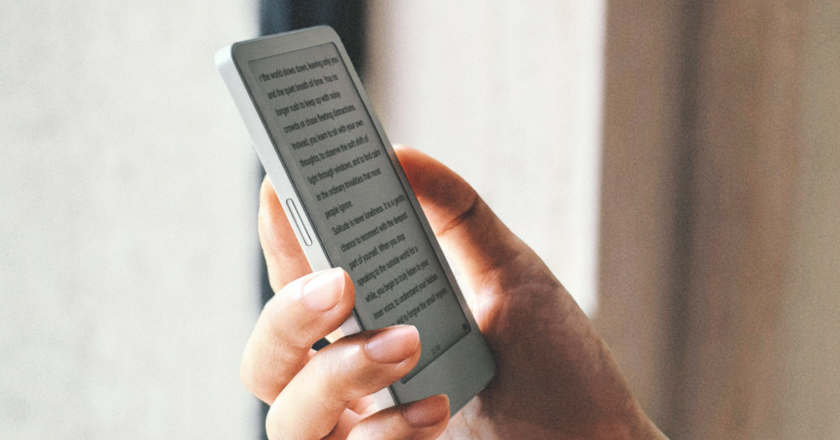
We may earn a commission from links on this page. Deal pricing and availability subject to change after time of publication. I've been covering e-readers and e-ink tablets for Lifehacker for a few years now, and I haven't ever encountered a product with as many enthusiastic fans as the Xteink X4, a teeny tiny, bare bones e-reader from China that has replaced my beloved phone-shaped Boox Palma 2 as my distraction-free reading device of choice—not the least because it's a heck of a lot cheaper, around $70 to the Palma 2's $250. And if you act fast, right now you can score an X4 for less than $60 during an Amazon flash sale. As I explain in my review, the X4 is a little fiddily, a little janky, and not for everyone—but it has a huge cult following of tinkerer...
10 Hacks Every YouTube Music User Should Know
Life Style

10 Hacks Every YouTube Music User Should Know

YouTube Music isn't the most feature-rich of all the music streaming services, but it is a great option for those who love music videos, user-generated content, and the YouTube ecosystem overall. If you have YouTube Music, or are considering switching from another platform, these are the best tips and tricks to get the most out of your listening experience. If you're moving to YouTube Music from another app, you don't have to start from scratch. YouTube has a direct integration with Apple Music for playlist transfers. For other streaming services like Spotify, you can import using third-party apps like TuneMyMusic or Soundiiz for a fee (for a one-time transfer, you only need to subscribe for a month). To move data from Apple Music to YouTube Music, sign in to Apple Music and choose Request...
The Xteink S4 Might Be the Pocket E-Reader of My Dreams
Life Style

The Xteink S4 Might Be the Pocket E-Reader of My Dreams

We may earn a commission from links on this page. Though I've spent years evangelizing for the Boox Palma 2, a phone-sized Chinese e-reader with an open Android operating system, my allegiances have shifted in recent months. I'm now obsessed with the tiny, slightly janky, minimalist devices put out by Xteink, another Chinese tech company. And I'm far from the only one—the Xteink subreddit is a busy place.The $69 Xteink X4 has a 4.3-inch screen and native software that's so bad, it wasn't really worth recommending until fans of the device cobbled together their own crowdsourced alternative. The $79 X3 (which is currently only available in the U.S. direct from Xteink) is largely the same device, but even smaller—about the size of a credit card. Either one is a great cho...
10 Productivity Hacks Every Apple Reminders User Should Know
Life Style

10 Productivity Hacks Every Apple Reminders User Should Know

The Reminders app on the iPhone is perhaps one of the most underrated apps that Apple makes. On the surface, it's a simple to-do list app: You can use Siri to add reminders, get notifications, and check them off. But hiding under the surface is a complex program, with features that help you get things done with the right context and at the right time. You can organize your list as a Kanban board, set blaring alarms for important reminders, manage tasks from the Calendar app, and generate your own smart lists. 13-inch laptop with M5 chip MacBook Air ...
Google Meet Can Now Take Notes During In-Person Meetings Too
Life Style

Google Meet Can Now Take Notes During In-Person Meetings Too

Google Meet's "Take Notes for me" feature is one particularly useful implementation of AI. When you're on a video call, Gemini can dictate what's being said, offering summaries and highlights of the conversation. That way, your attention doesn't need to be split between the conversation at hand and writing down notes to remember key points later: You can just check the notes that are automatically generated as a Google Doc once the meeting is over. It's the kind of feature that sells me more on the whole "AI assistant" thing, rather than something trying to order me a coffee. Of course, video conferencing isn't the only time dictation can be useful. An in-person meeting can benefit from the same perks as a virtual one: Why bother with scribbling down notes on paper or typing away on a ...
10 Hacks Every Android Auto User Should Know
Life Style

10 Hacks Every Android Auto User Should Know

We may earn a commission from links on this page. Android Auto isn't perfect, but it is a powerful and highly customizable vehicle infotainment system with quite a few hidden features and settings. If you're using Android Auto in your car, these are the top tips and tricks to maximize its navigation, entertainment, and communication capabilities. Customize the notifications you receive while drivingGetting too many notifications on your Android Auto screen while you're driving can be distracting (and potentially dangerous), but you also don't want to miss important and time-sensitive calls and texts. You can customize what alerts pop up—and how—when you're on the road and even disable message notifications entirely. You can make changes like disabling group chat aler...
I Keep This Solis Pocket Wifi in a Travel Bag, and You Should Too
Life Style

I Keep This Solis Pocket Wifi in a Travel Bag, and You Should Too

We may earn a commission from links on this page. Pocket wifi is nothing new, and I considered it a luxury more than a necessity—a way to guarantee wifi in a time when wifi access is already practically guaranteed. Not only was I wrong, but I overlooked it for far too long. And if you don't own a portable wifi device other than your phone, you're probably making the same mistake I was. When I bought my first home, I gave my cell reception only a passing thought. Spectrum wireless was available in our area and was confirmed to work well by the previous homeowner, so home connectivity wouldn't be a problem. My phone carrier, T-Mobile, also covers 99% of the country. I imagined the network coverage maps in full magenta, suggesting I would need to be on Artemis II to lose...